Traveller safety
Know who's affected, and that they're safe
When something happens, the first question is who's there. silentVIP matches the incident to the trips on file, contacts each traveller, records every answer and escalates anyone who hasn't replied.
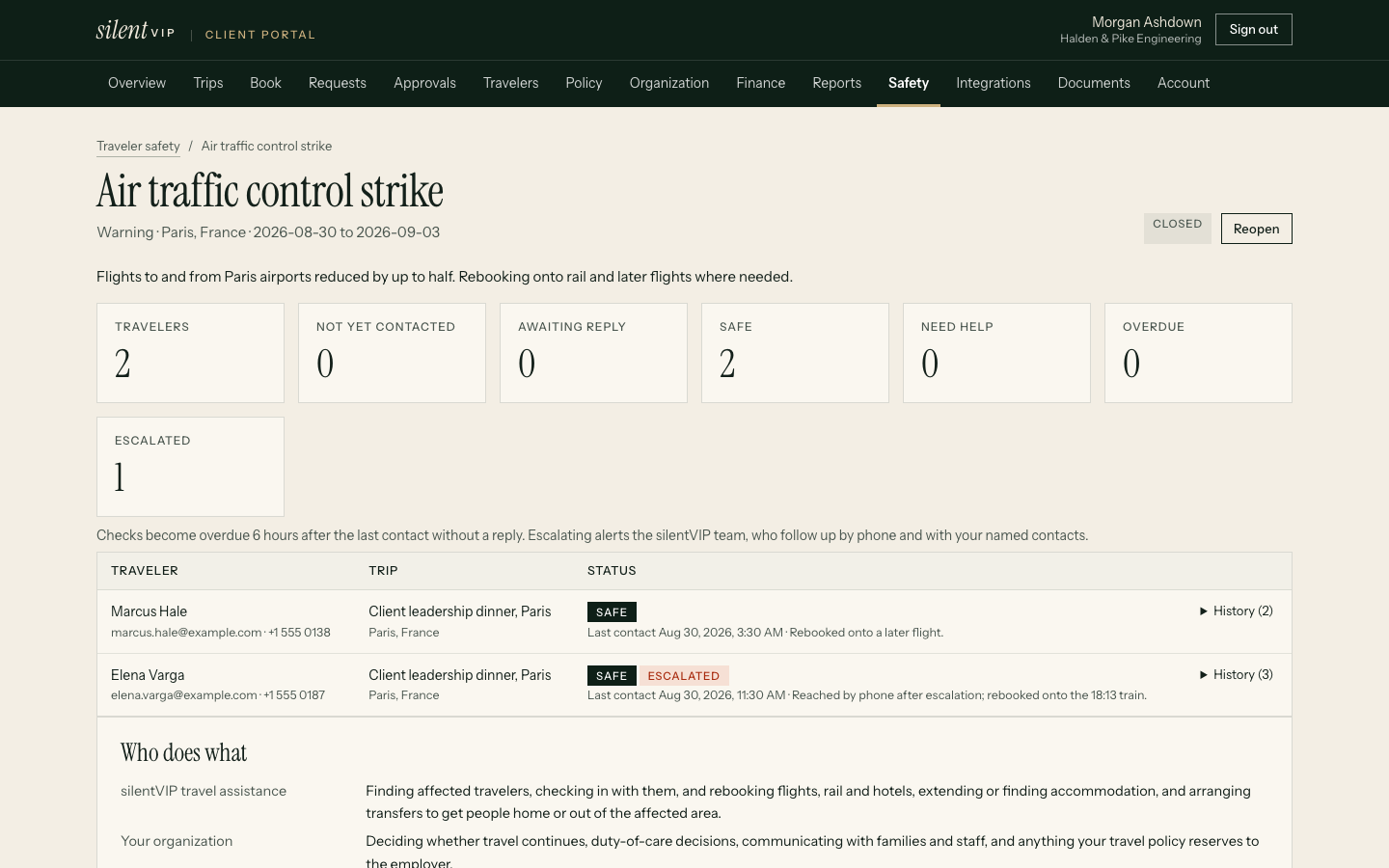
Walk-through
From alert to everyone accounted for
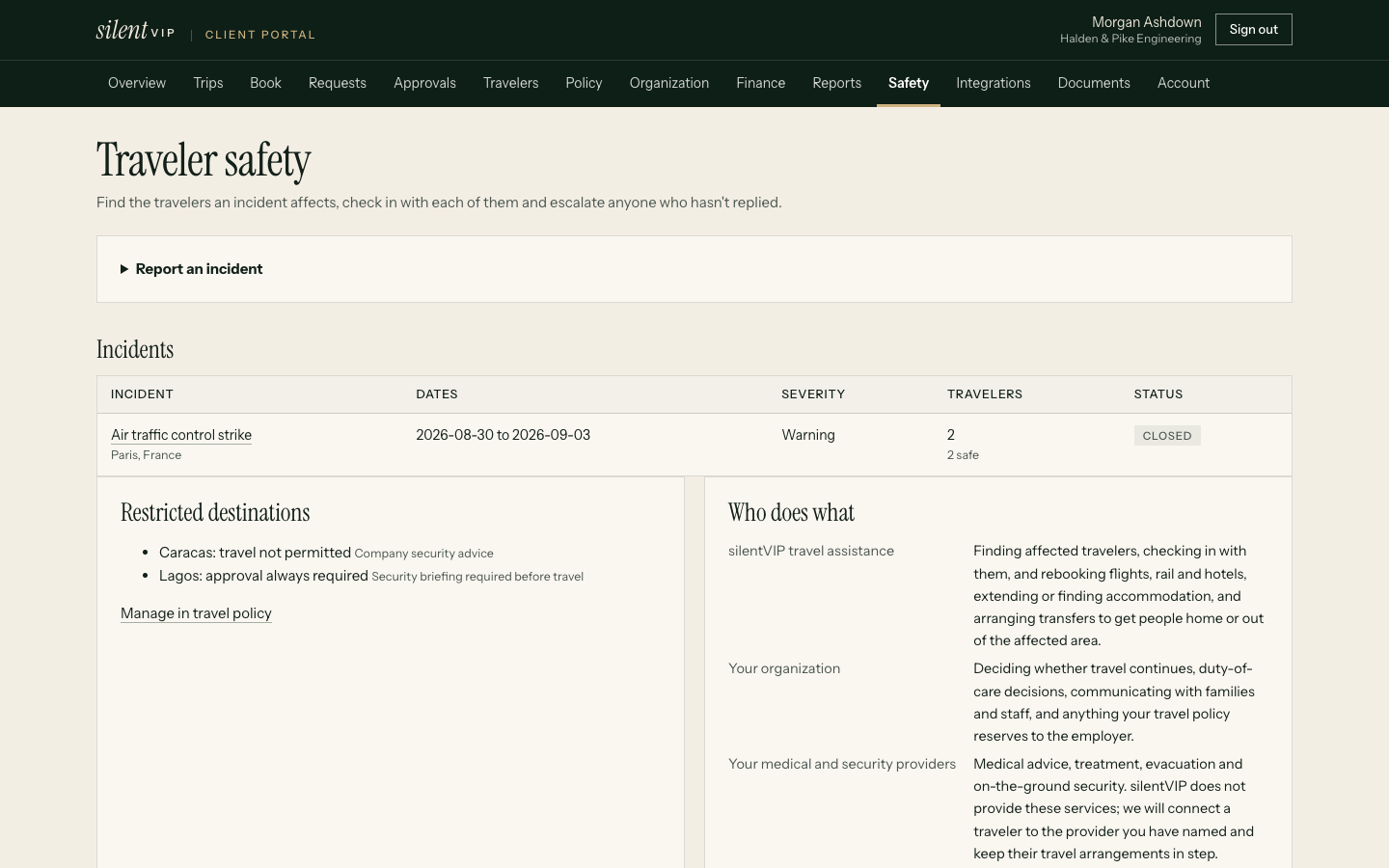
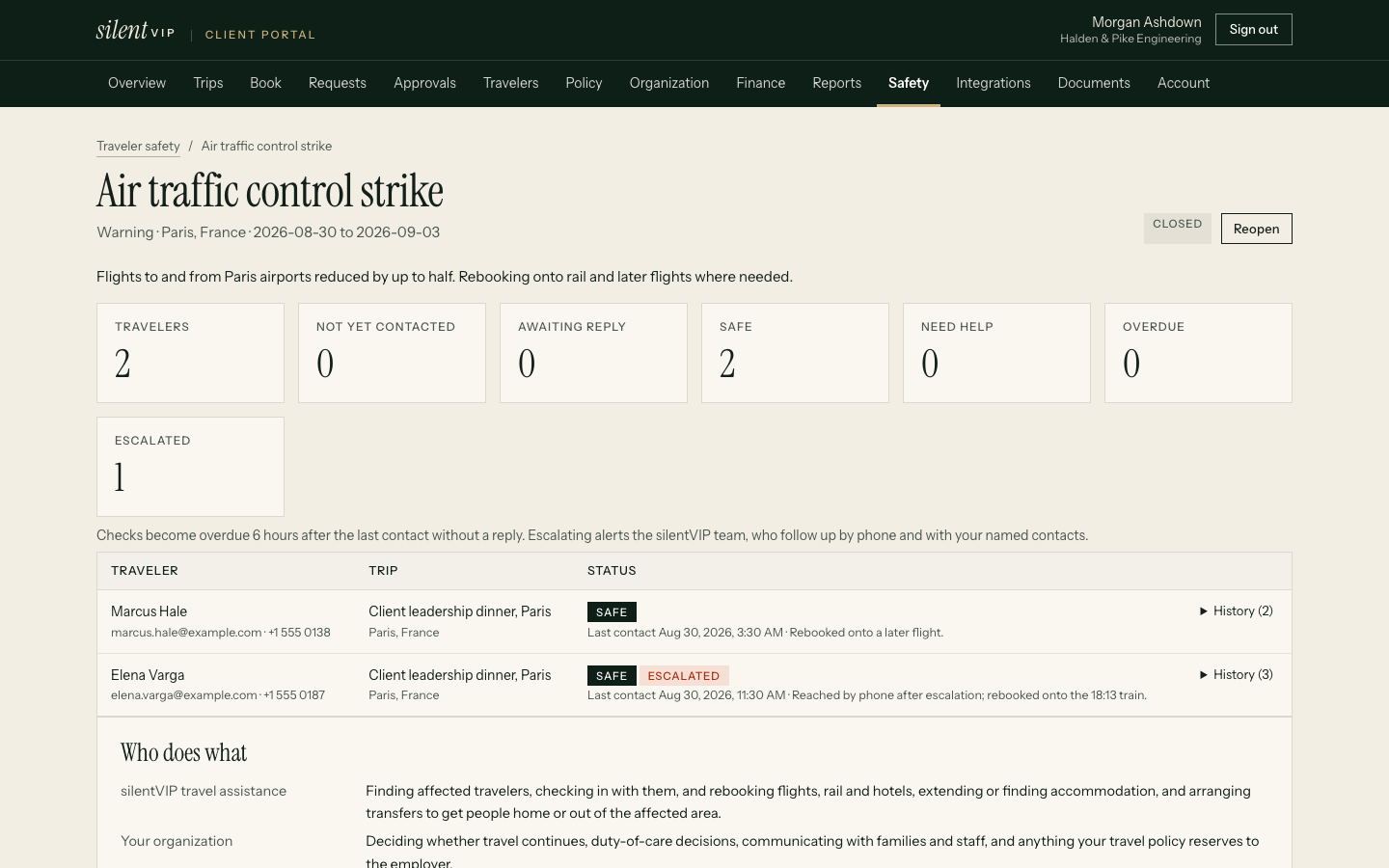
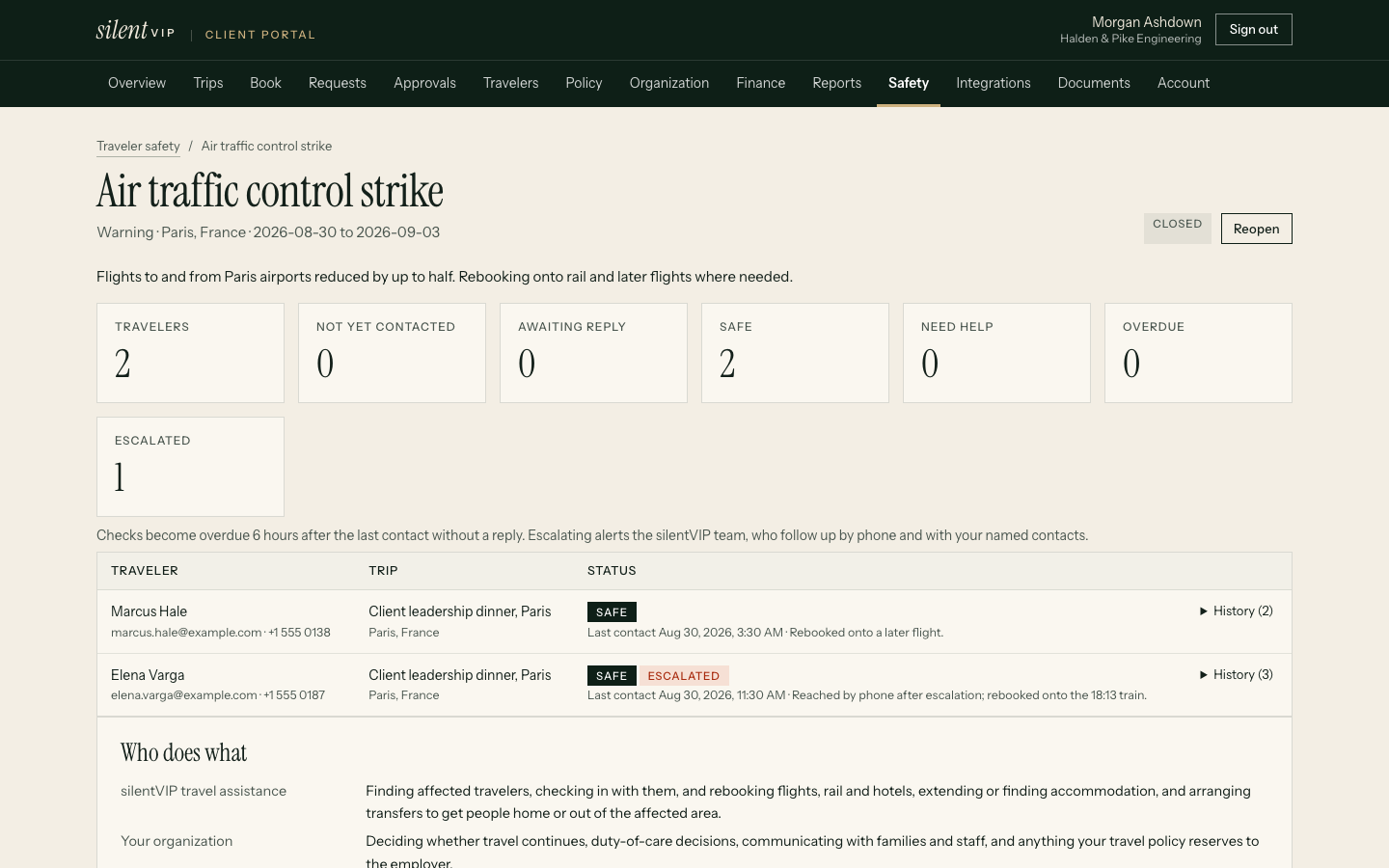
Worked scenario
A flood warning in Manchester
Monday 07:40: alert
Our team confirms a regional flood warning for Manchester and opens an incident for Manchester, Tuesday to Thursday.
07:45: affected travellers
Four travellers have trips overlapping those dates: three in Manchester, one connecting through it by rail.
08:05: first contact
Check-in messages go out by email, with a phone follow-up for the traveller due to travel that morning. Our commitment: first contact attempt within 30 minutes of an incident being confirmed.
09:30: responses
Three are recorded safe. The rail traveller needs help: we rebook to a later train and move the hotel. One hasn't replied.
11:00: escalation
The unanswered check is overdue and escalated to the travel manager, who reaches the traveller through their own team. Recorded safe at 11:20.
Thursday: closed
The incident is closed, with a full record of who was contacted, when, and how they answered.
Controls
Locations and restricted destinations
- Locations come from the trips on file: destinations, hotels and itinerary locations. We don't track phones.
- Restricted destinations can require approval for every trip, or be blocked from booking, in the travel policy
- Monitoring: Incident monitoring 24 hours a day, 7 days a week
Specialist help
Arranged through your providers
Medical evacuation, security advice and insurance claims come from the specialist providers your company contracts with. We'll record their contact details and procedures on the programme so we can hand over quickly.
Responsibilities
Who does what in an incident
| Service | silentVIP | Your company or its providers |
|---|---|---|
| Finding affected travellers from trips on file | Yes | |
| Contacting travellers and recording responses | Yes, alongside your travel manager | Your travel manager and line managers |
| Rebooking, new hotels and transport | Yes | |
| Medical assistance and evacuation | Hands over and records it | Your medical assistance provider |
| Security advice and protective services | Hands over and records it | Your security provider |
| Insurance cover and claims | Supplies booking records | Your insurer or broker |
| Duty-of-care policy and decisions | Follows your instructions | Your company |
Evidence
What customers report
Example stories shown until approved customer stories are supplied. They describe no real company.
Questions
Practical answers
Do you track travellers' phones?
Are trips booked elsewhere included?
Can we see personal trips in an incident?
Do you provide medical or security services?
See an incident from alert to closed
We'll run a fictional disruption in the demo.