Policy & approvals
Spend decided before it happens
Write your travel policy once. Every option is checked against it, every exception needs a reason and an approver, and the same rules apply whether the trip was booked in the portal, by an assistant or by phone.
Walk-through
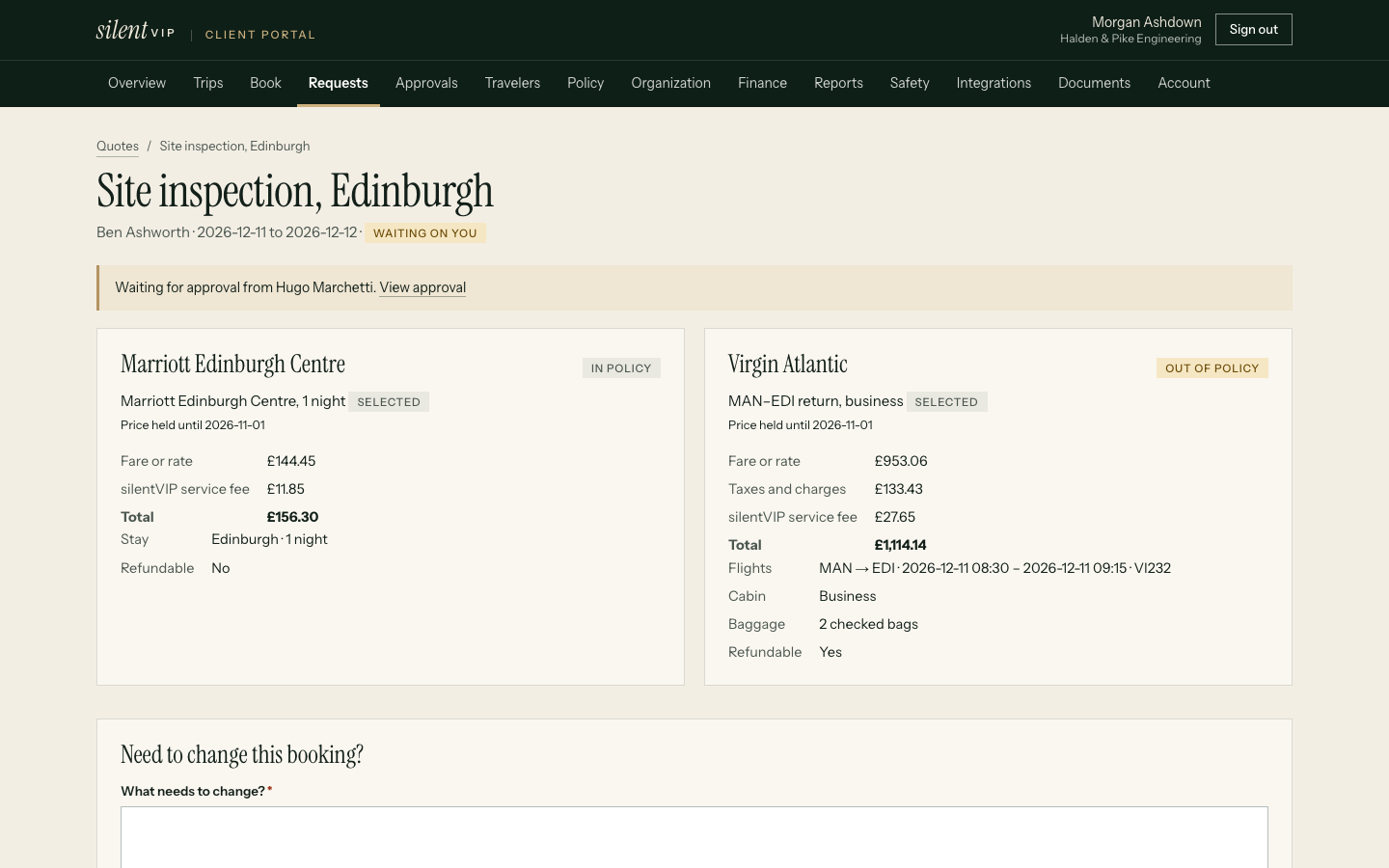
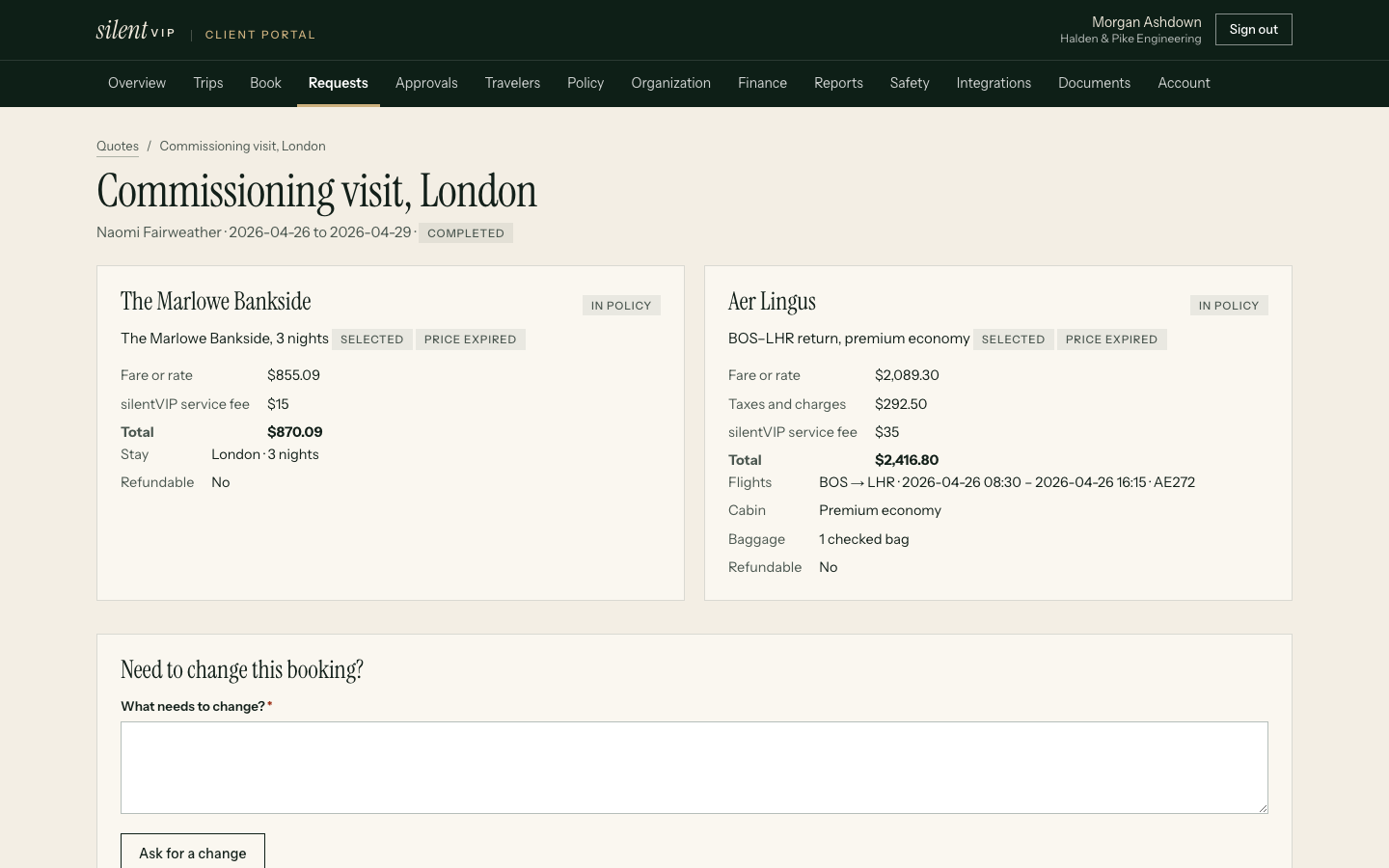
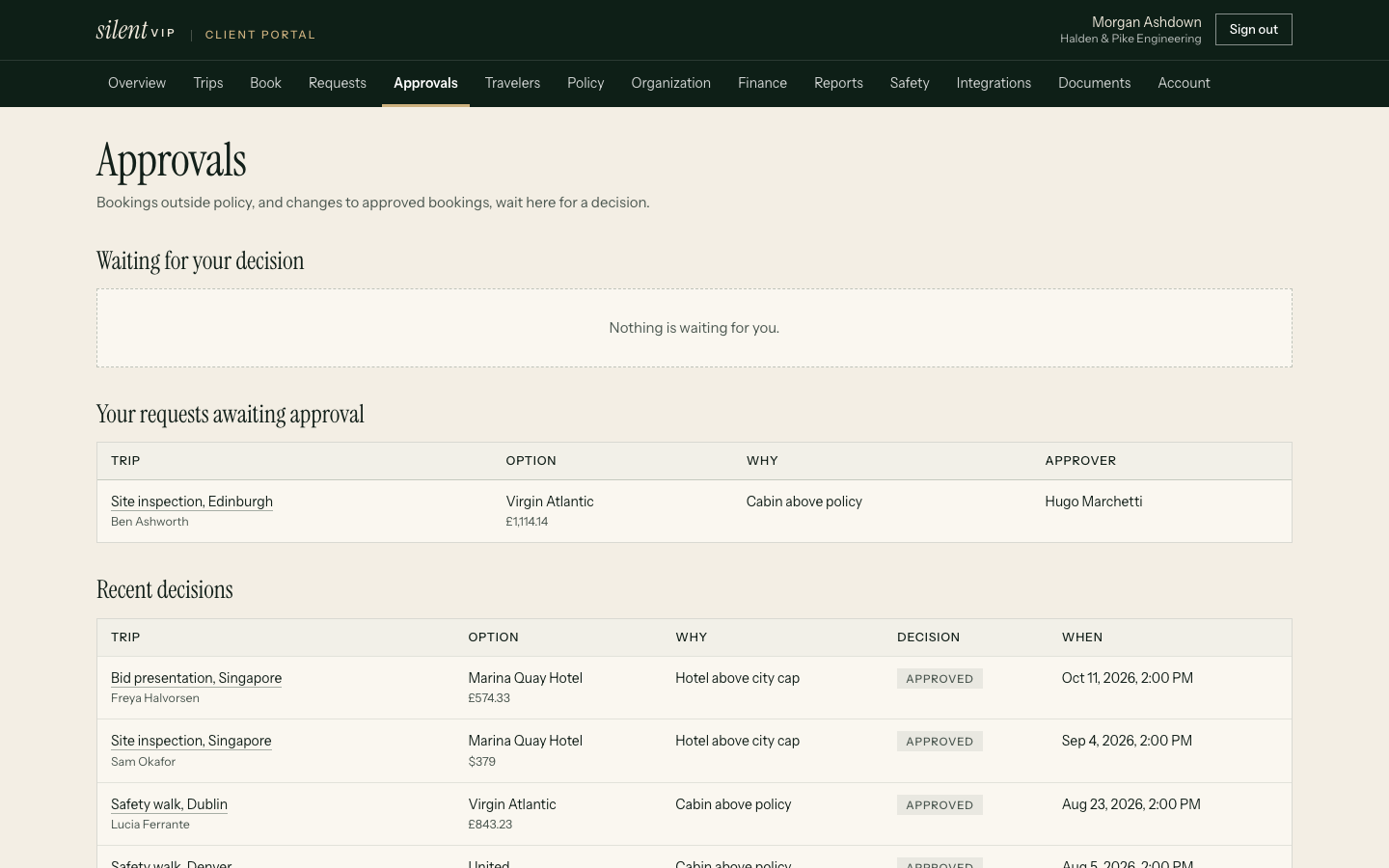
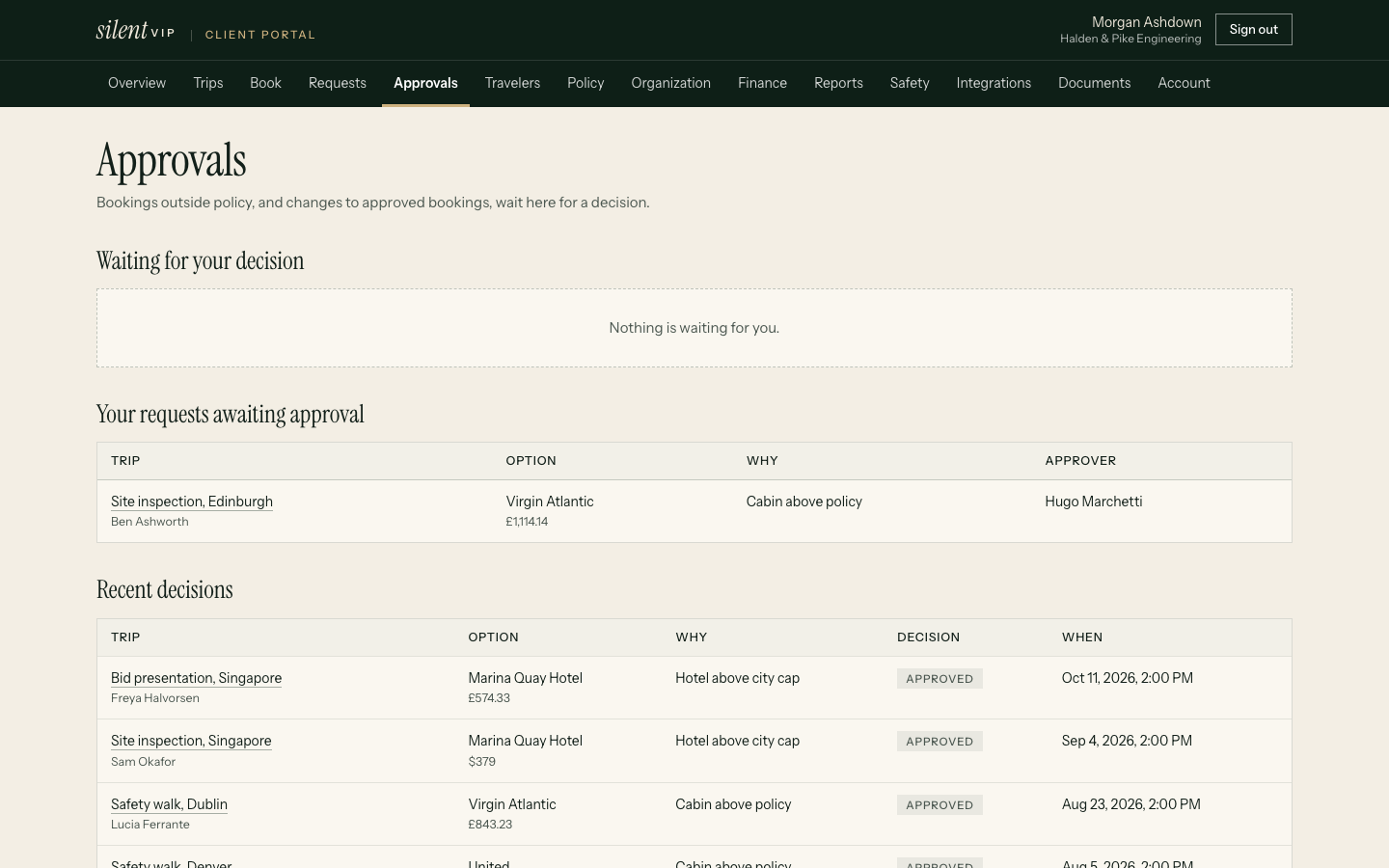
An out-of-policy booking, start to finish
Rules you can set
Precise, and readable by everyone
| Rule | What it does | Example |
|---|---|---|
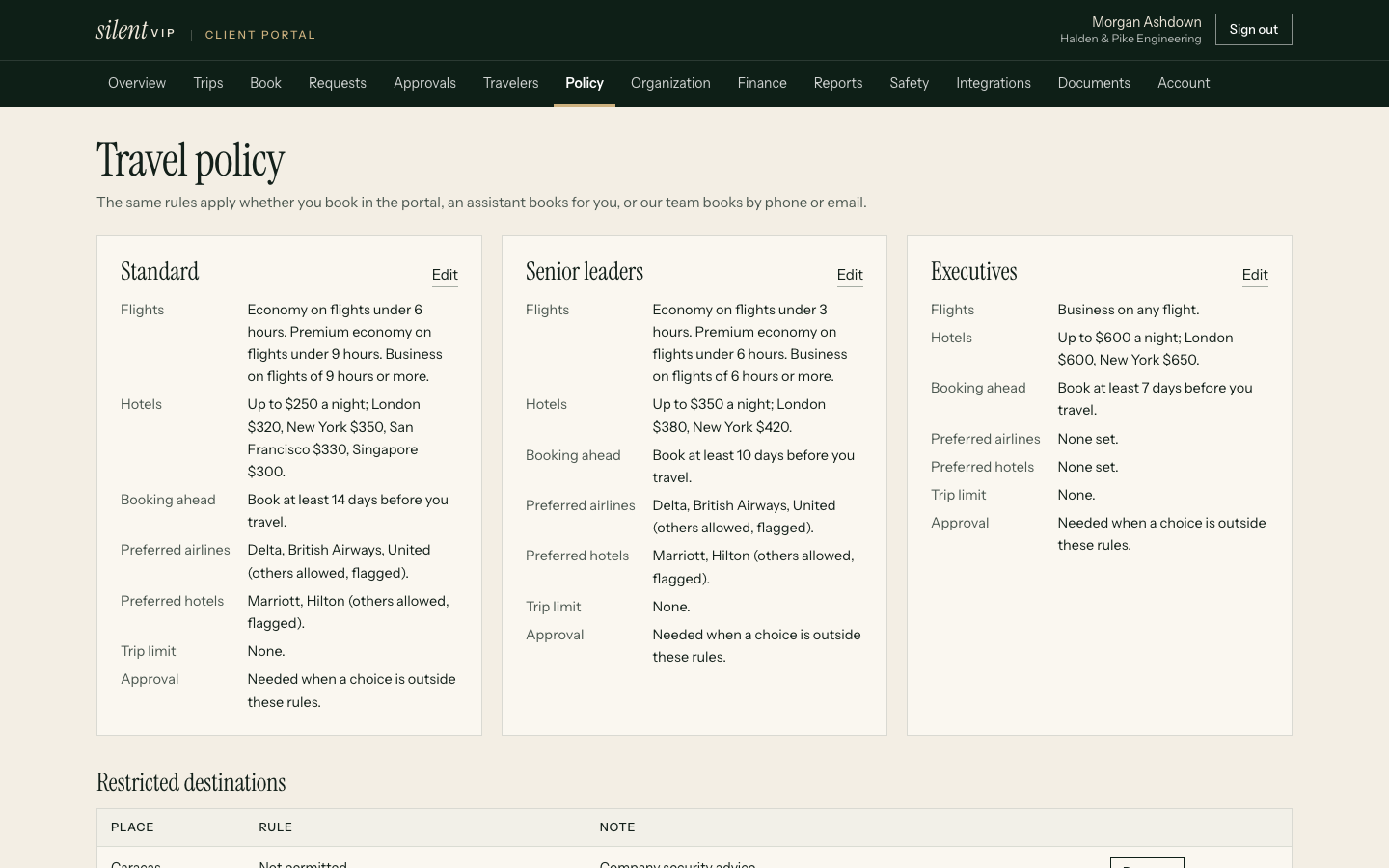
| Cabin by flight length | Sets the highest cabin allowed by scheduled flight time, per policy group | Economy under 6h, premium economy 6–9h, business 9h+ |
| Hotel caps | A default nightly cap plus city overrides | $250 default; London $320; New York $350 |
| Advance booking | Minimum days between booking and departure | 14 days; later bookings are flagged |
| Preferred suppliers | Airlines and hotel chains to favour, as a rule or a warning | Preferred chains shown first; others marked |
| Trip maximum | A ceiling on the total trip price | Any trip above $6,000 needs approval |
| Approval mode | When approval is required | Only out of policy, always, or never |
| Restricted destinations | Places that always need approval, or can't be booked | Approval for listed countries; blocked for others |
| Department budgets | A budget per department and period, compared with actual spend in reports | Sales: $180,000 a quarter |
| Project codes | Codes a trip is charged to, chosen when it's requested | CLIENT-ACME-2026, RECRUITING |
Policy groups (standard, senior, executive) let different travellers have different limits without separate policies to maintain.
Approvers
The right person, even on holiday
- Each traveller has a named approver; if none is set, any travel manager can decide
- Approvers hand over to a delegate for set dates, and requests route to the delegate automatically
- Approvers are emailed when a decision is waiting, and decide in the portal
- Every request, decision, note and change is in the approval history and the audit log
Changes after approval
An approval covers what was approved
- A change that picks a pricier option, or one that breaks policy, creates a new approval marked as a change
- In-policy changes at the same or lower cost don't need re-approval
- The approver sees the original decision next to the change
Every channel
One policy, three ways to book
Online
Options in the portal carry their policy status, and out-of-policy selections ask for a reason.
Assistant
Assistants book under the traveller's own policy group and approver, not their own.
Service team
Phone and email bookings are entered against the same traveller, so our team applies the same check and the same approval chain.
Evidence
What customers report
Example stories shown until approved customer stories are supplied. They describe no real company.
Questions
Practical answers
Can we write our own policy rules?
What happens if an approver doesn't respond?
Can a traveller see the policy?
Does an in-policy booking need approval?
Are blocked destinations enforced for phone bookings?
See your policy running on real requests
Send us your current policy and we'll show it set up in the portal.